The free, open source CRM that runs on your cPanel hosting
NextaCRM takes an IT or service company from lead to deal, quotation, project, timesheet, invoice, payment and support in one PHP app. No Docker, no per-user fee, your data on your server.
NextaCRM is a free, self-hosted CRM and business management app for IT and service companies, built by Nexta Web Solution in India. It manages leads, deals, quotations, GST invoices, projects, timesheets, support tickets with SLA, HR, attendance and payroll in a single PHP application that installs on ordinary cPanel hosting in about ten minutes.
We built it because our own clients were juggling one tool for leads, a spreadsheet for quotations, another app for invoices and a shared inbox for support. The big open source suites can do all of that, but most of them need a VPS, Docker or a server admin.
Price
Free. No per-user fee
Source code
Public on GitHub
Version
2.0.0, released 15 November 2026
Runs on
cPanel hosting, PHP 8.2+, MySQL 8 or MariaDB 10.6
Not needed
Composer, Node.js, Redis, Docker or SSH
Made by
Nexta Web Solution Pvt. Ltd., Hooghly, India
One customer record, start to finish
Lead to payment to support, in one app
Most small companies stitch this together from four or five tools. In NextaCRM each step hands its data to the next.
LeadWeb forms, scoring, duplicate check
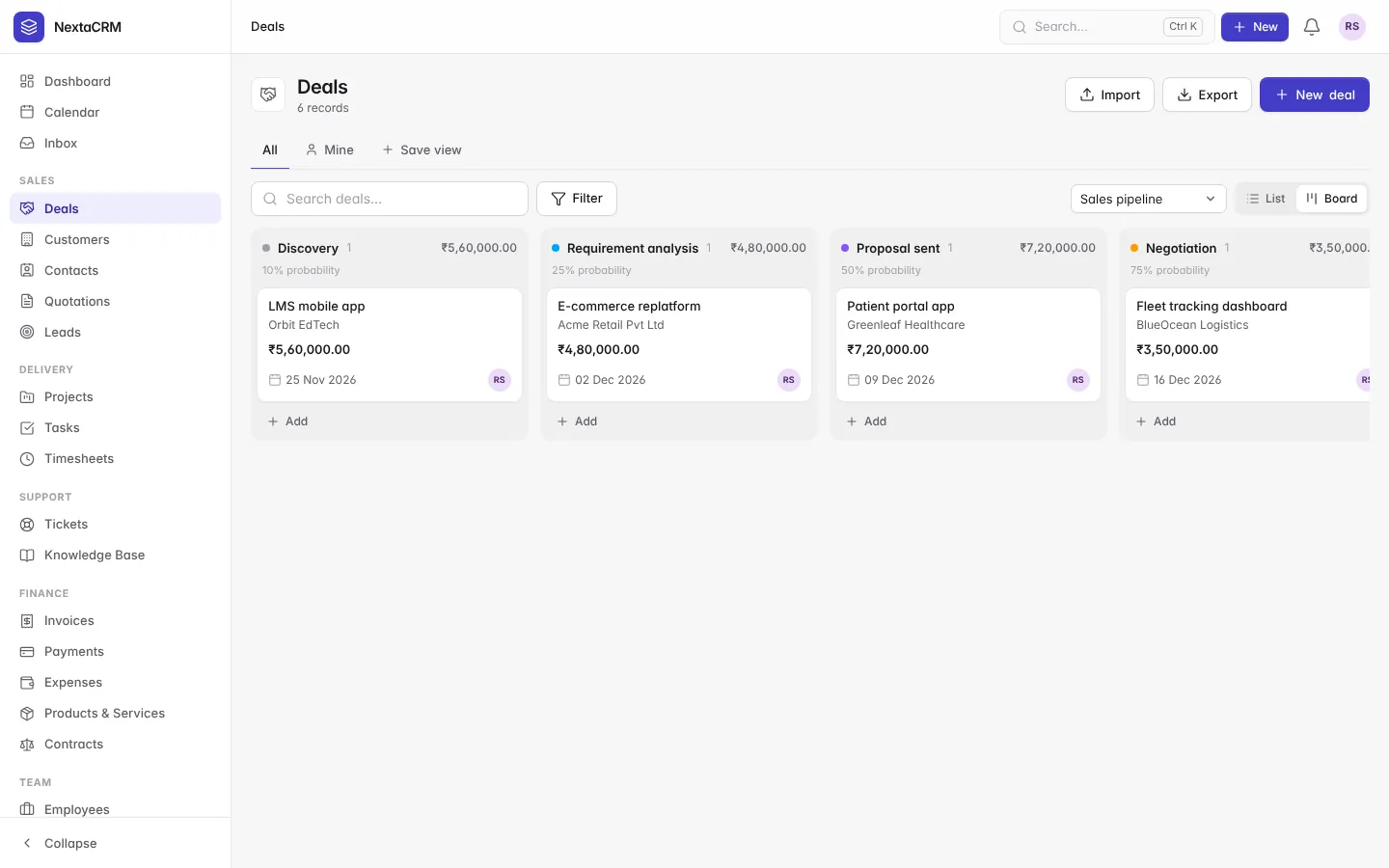
DealKanban pipelines, weighted forecast
QuotationPDF, public link, e-signature
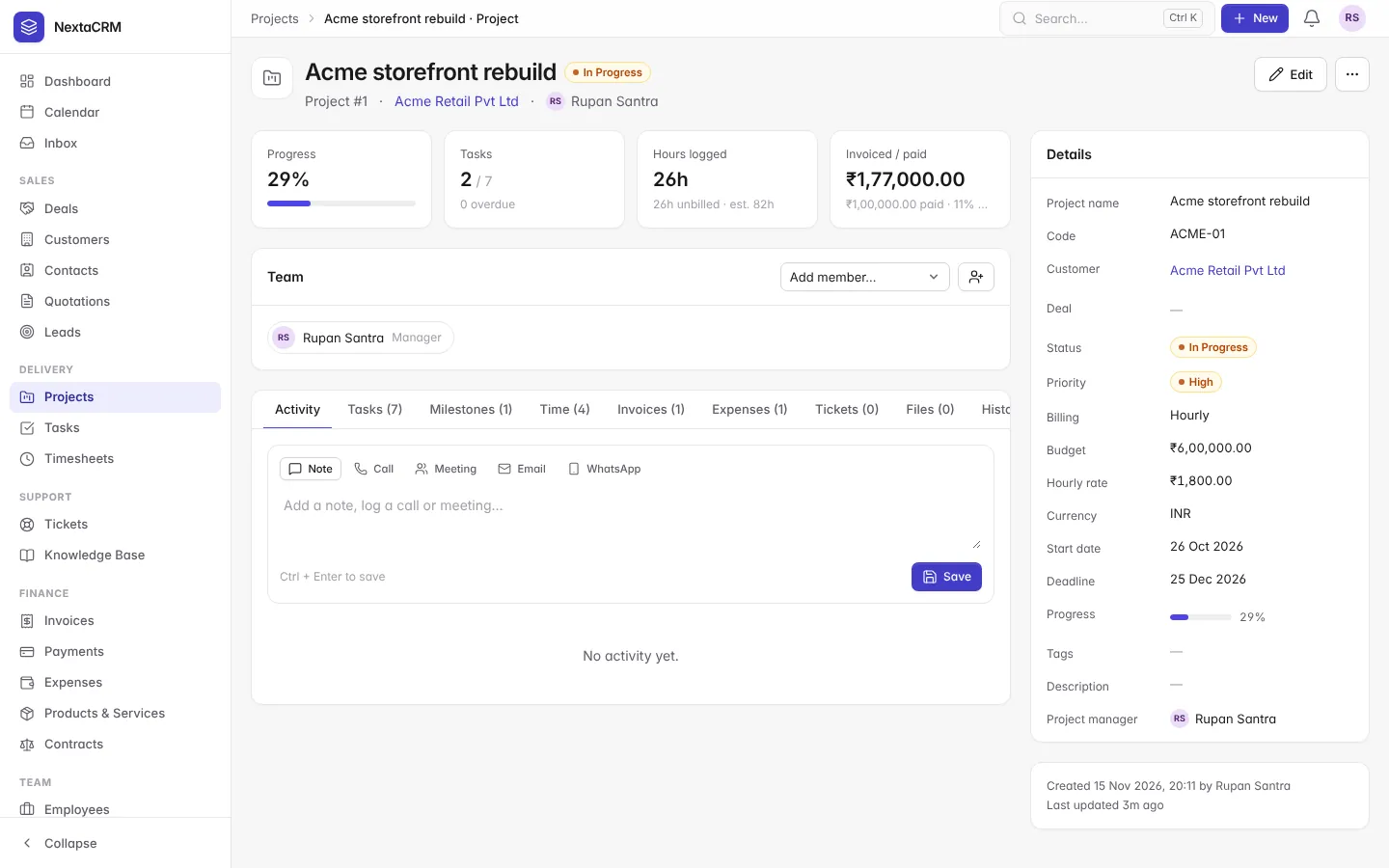
ProjectMembers, budget, milestones, Gantt
TimesheetOne-click timers, billable hours
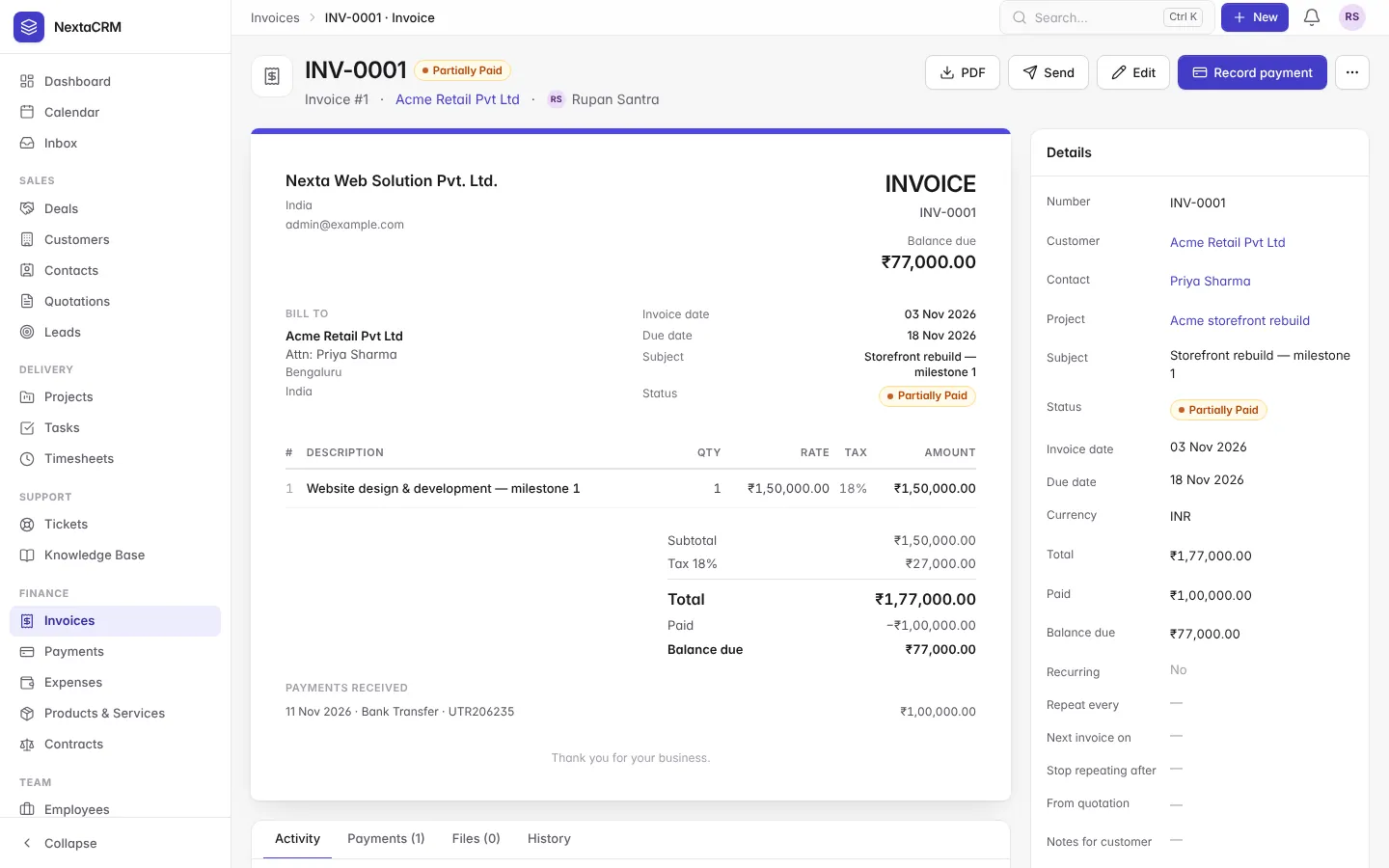
InvoiceGST/VAT, recurring, multi-currency
PaymentRazorpay, Stripe, PayPal
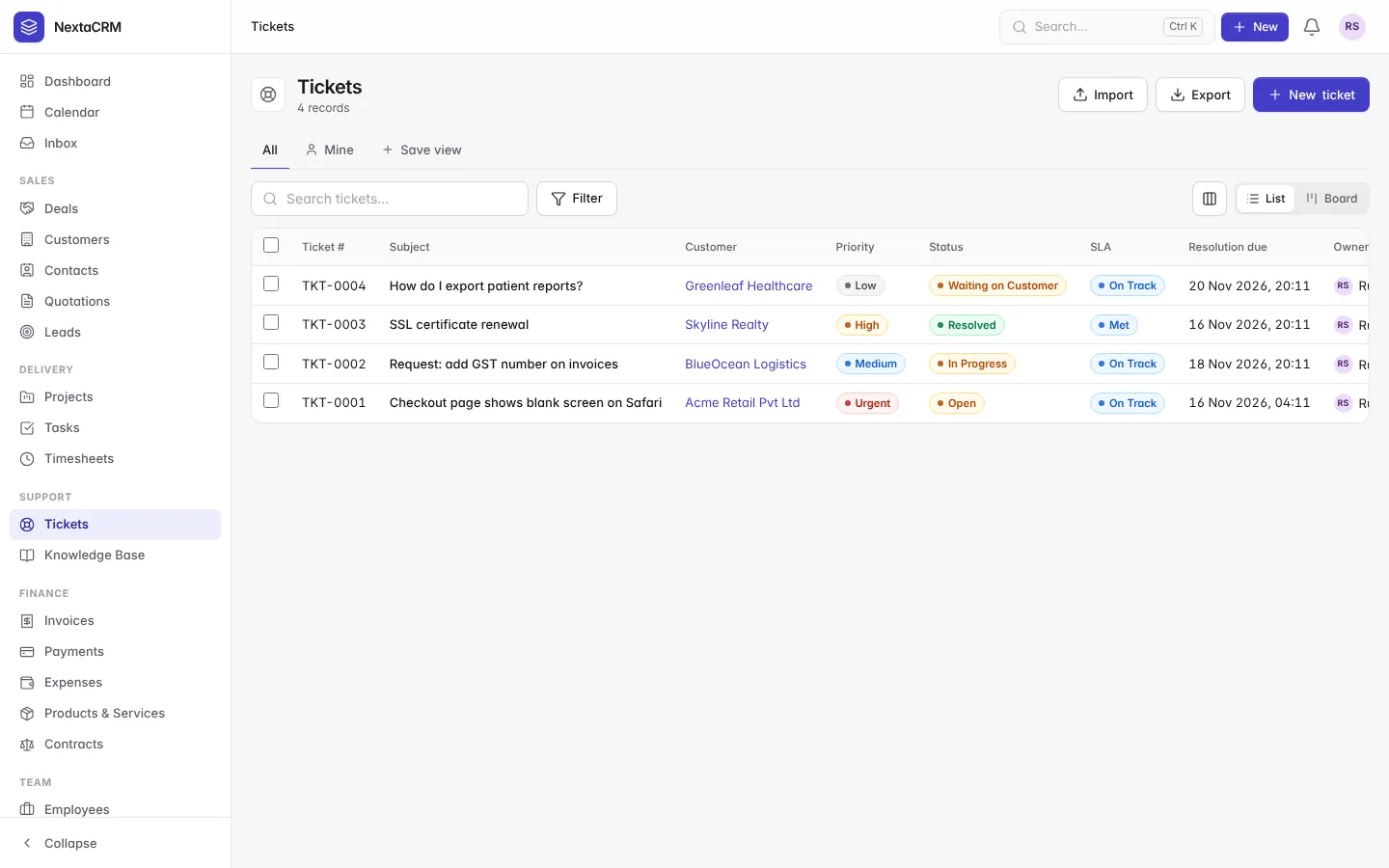
SupportTickets with SLA, help centre
Features
Everything an IT or service company runs on
Sales
Win more of the leads you already get
Every enquiry from your website, e-mail or WhatsApp lands in one place, gets a score and moves through your pipeline.
Web-to-lead forms, scoring and duplicate detection
Convert a lead to customer, contact and deal in one click
Several pipelines with stage probabilities and weighted forecast
E-mail sequences that stop when the lead replies
WhatsApp through Meta Cloud API, Twilio or Gupshup
crm.yourcompany.com
Quote to cash
From quotation to paid invoice without retyping
A quotation your client signs online turns into an invoice. They pay from the link, and the payment is recorded for you.
Quotations with PDF and accept/decline link with e-signature
Custom fields, automation, reports and an API, without touching the database or writing code.
Workflow automation on create, update, schedule or webhook
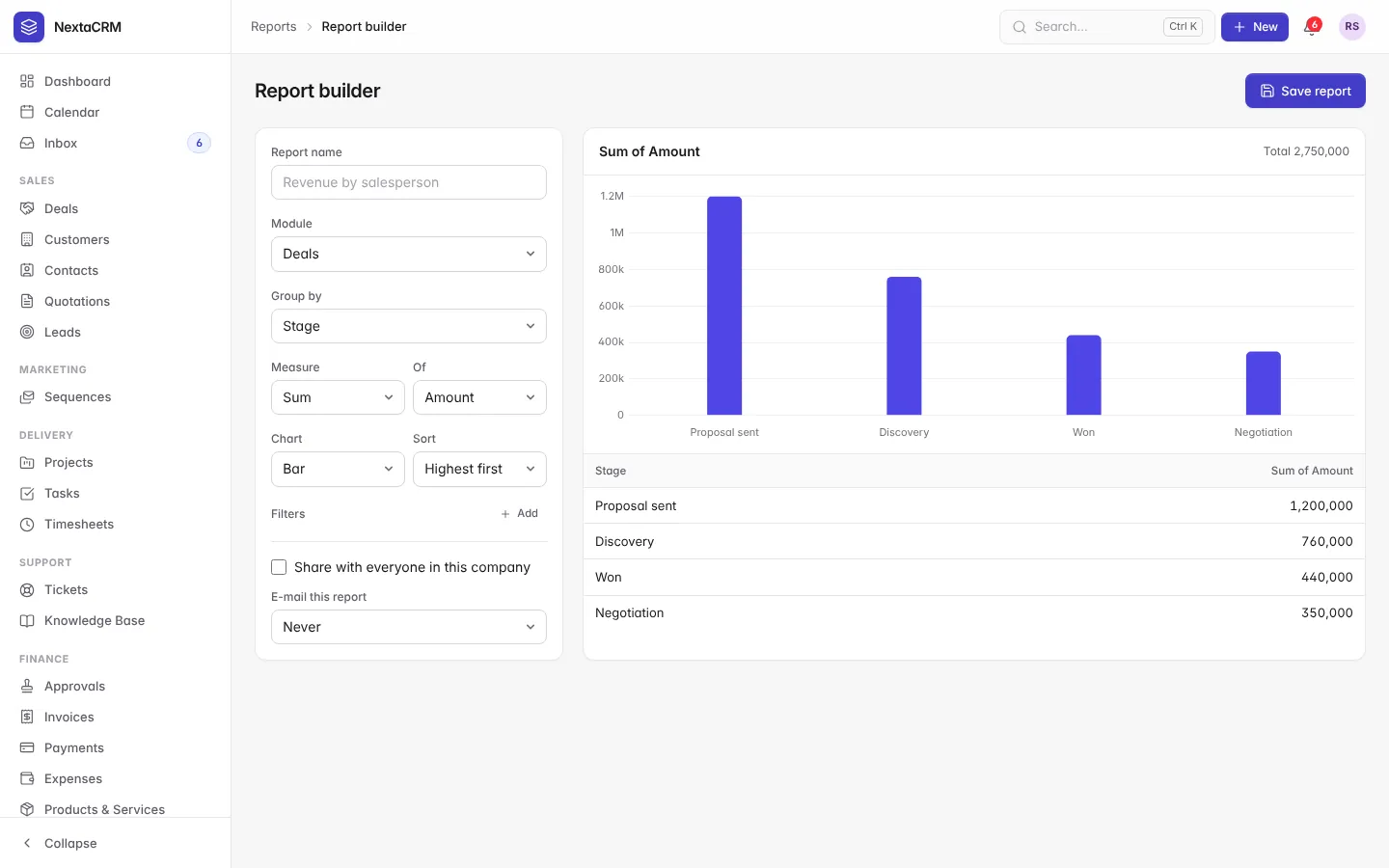
Report builder with scheduled e-mail delivery
Custom fields on every module, saved views, Ctrl + K search
REST API v1 with OpenAPI 3, scoped tokens, signed webhooks
AI assistant with your own Anthropic, OpenAI or self-hosted key
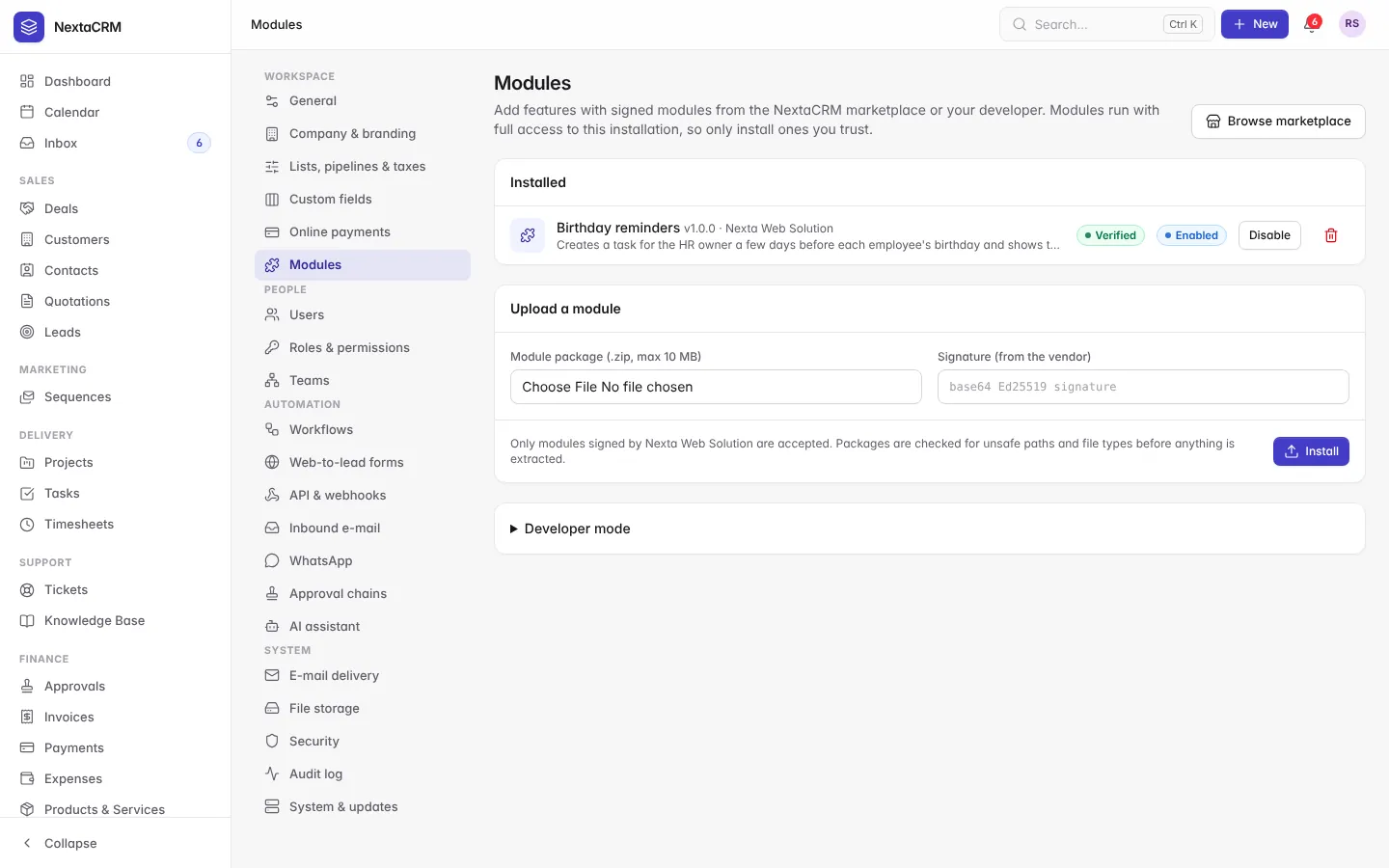
Signed add-on modules with an SDK
crm.yourcompany.com
crm.yourcompany.com
crm.yourcompany.com
crm.yourcompany.com
crm.yourcompany.com
crm.yourcompany.com
crm.yourcompany.com
Built in India, for Indian businesses
GST, rupees, Razorpay and payroll, out of the box
GST-ready invoices
Taxes, discounts and Indian number formatting (₹1,23,45,678.00).
Razorpay built in
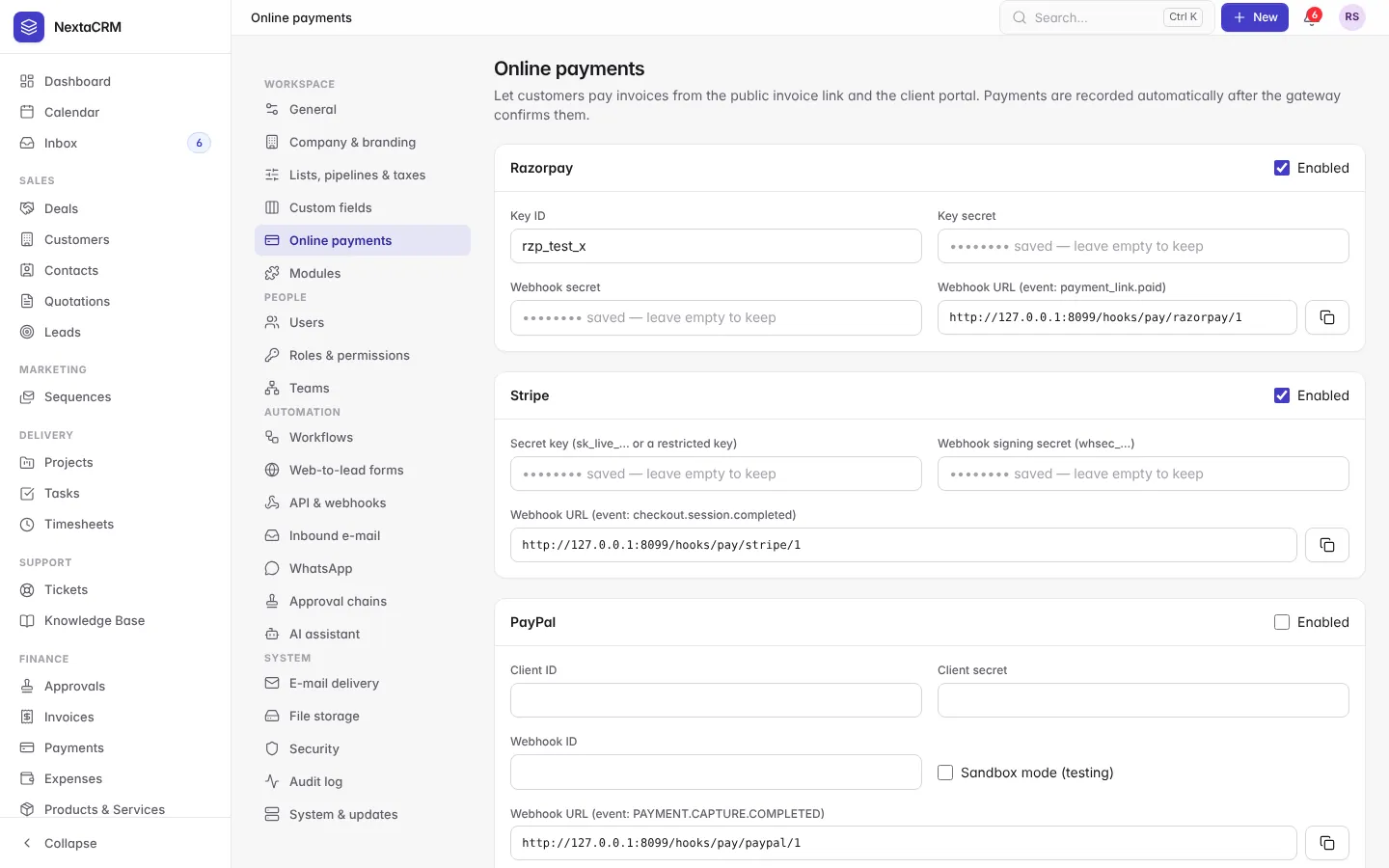
Customers pay from the invoice link or the portal. Stripe and PayPal too.
WhatsApp
Messages from leads, deals, invoices and tickets through Meta, Twilio or Gupshup.
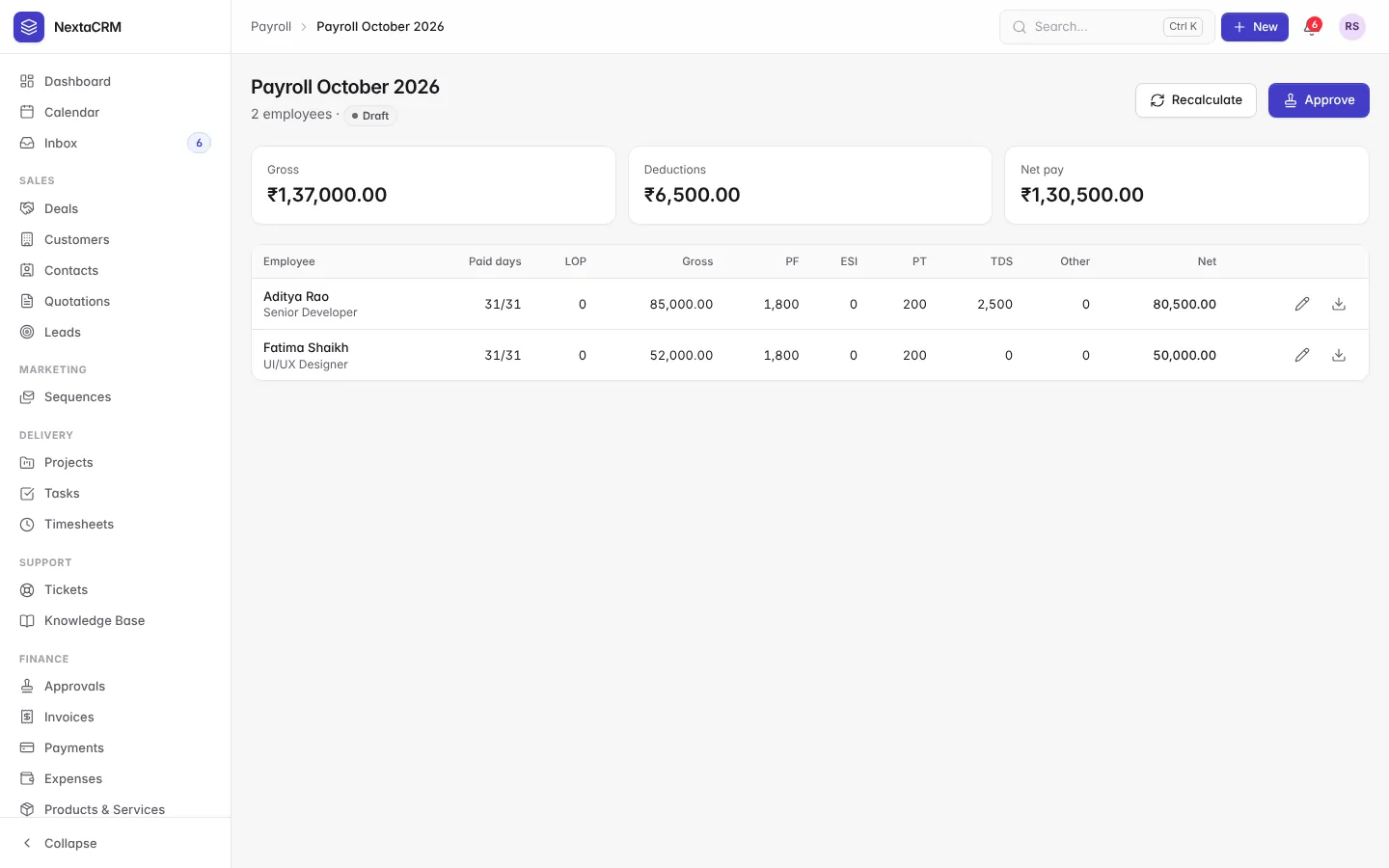
PF, ESI, PT and TDS
Monthly payroll runs with loss of pay from attendance and payslip PDFs.
Multi-company
Separate numbering, currency and branding for each company you run.
Runs on Indian hosting
Any cPanel host works, including TPHOST datacentres in Noida.
Screens
See it before you install it
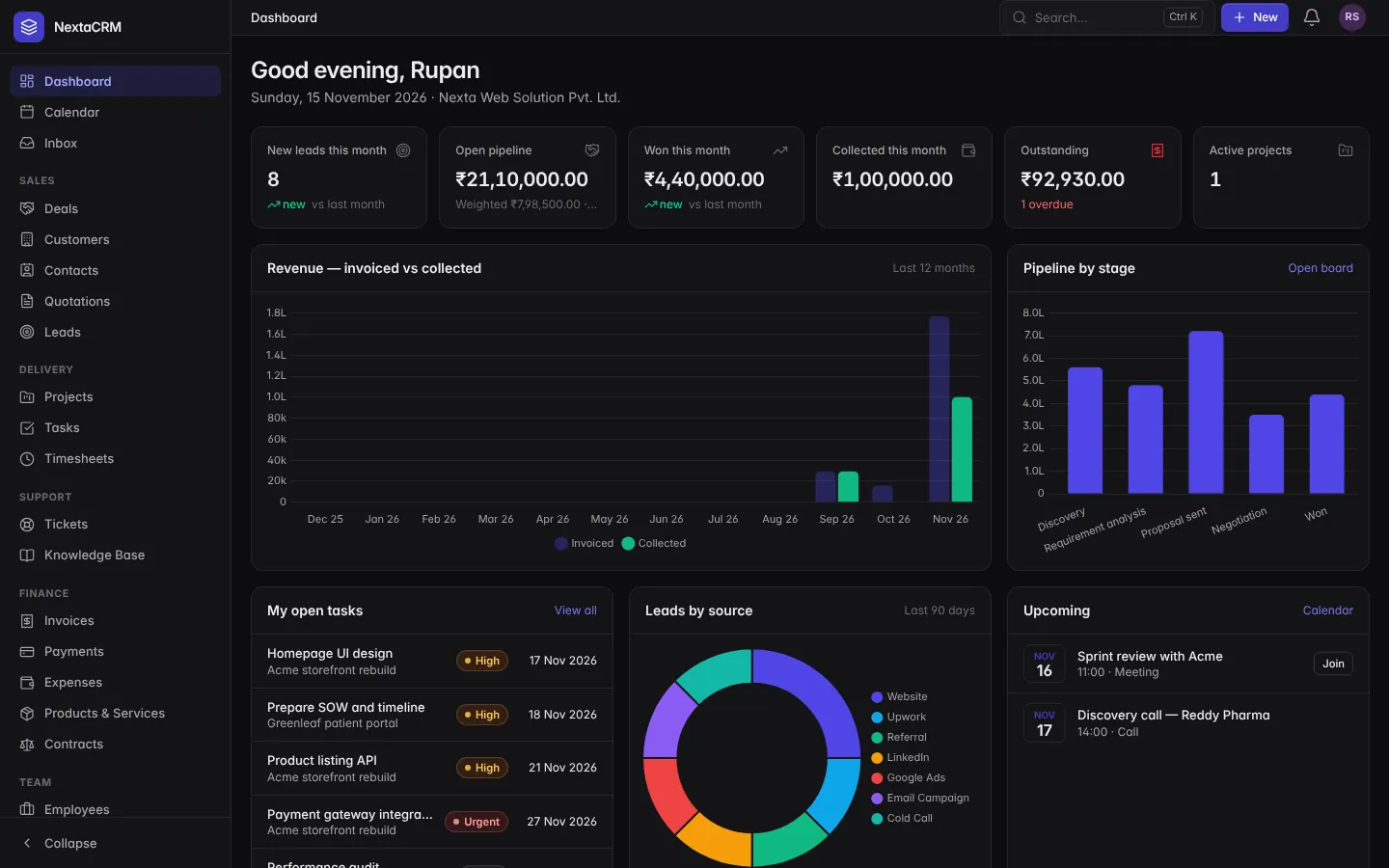
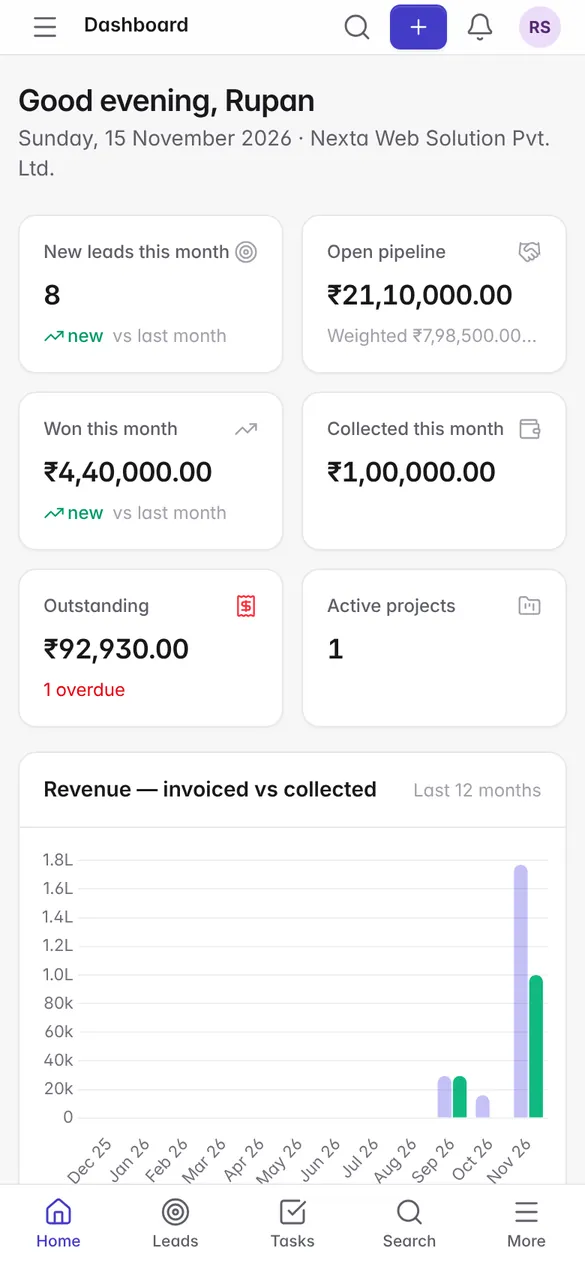
Real NextaCRM screens with demo data. Light, dark and mobile layouts are included.
01 / 10Calendar
crm.yourcompany.com
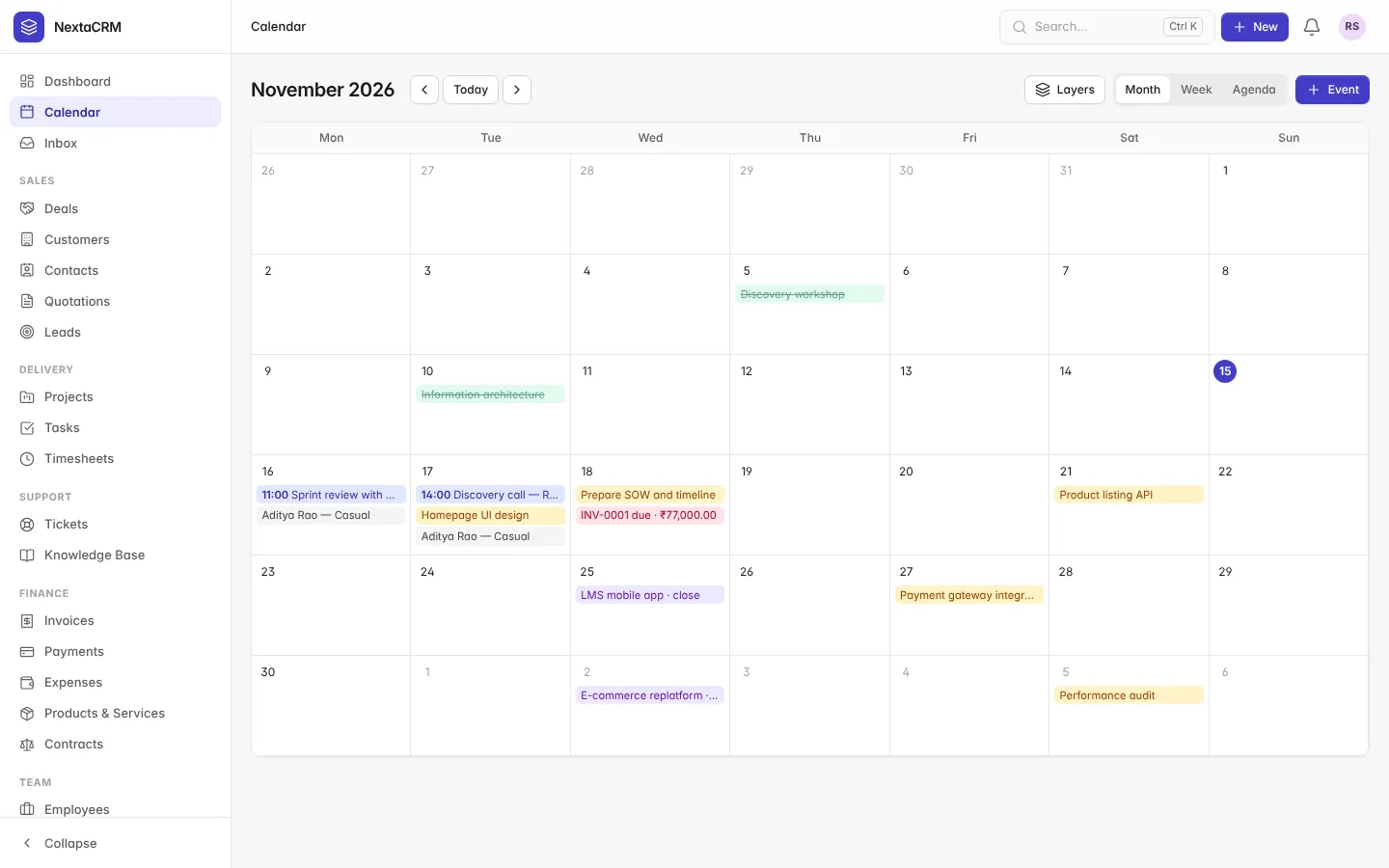
Shared calendar with meetings, due dates and leave
crm.yourcompany.com
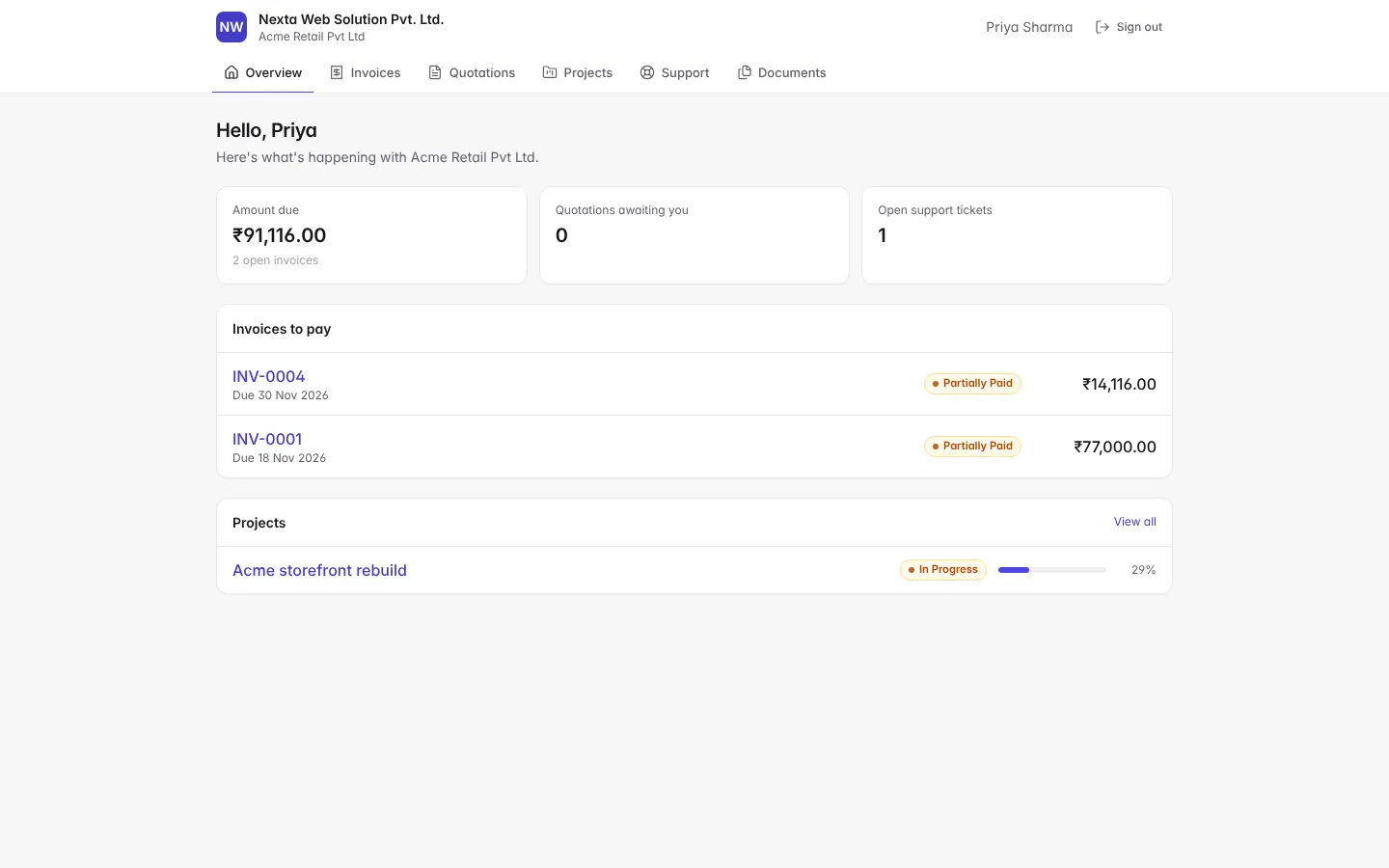
Client portal with invoices to pay and project progress
crm.yourcompany.com
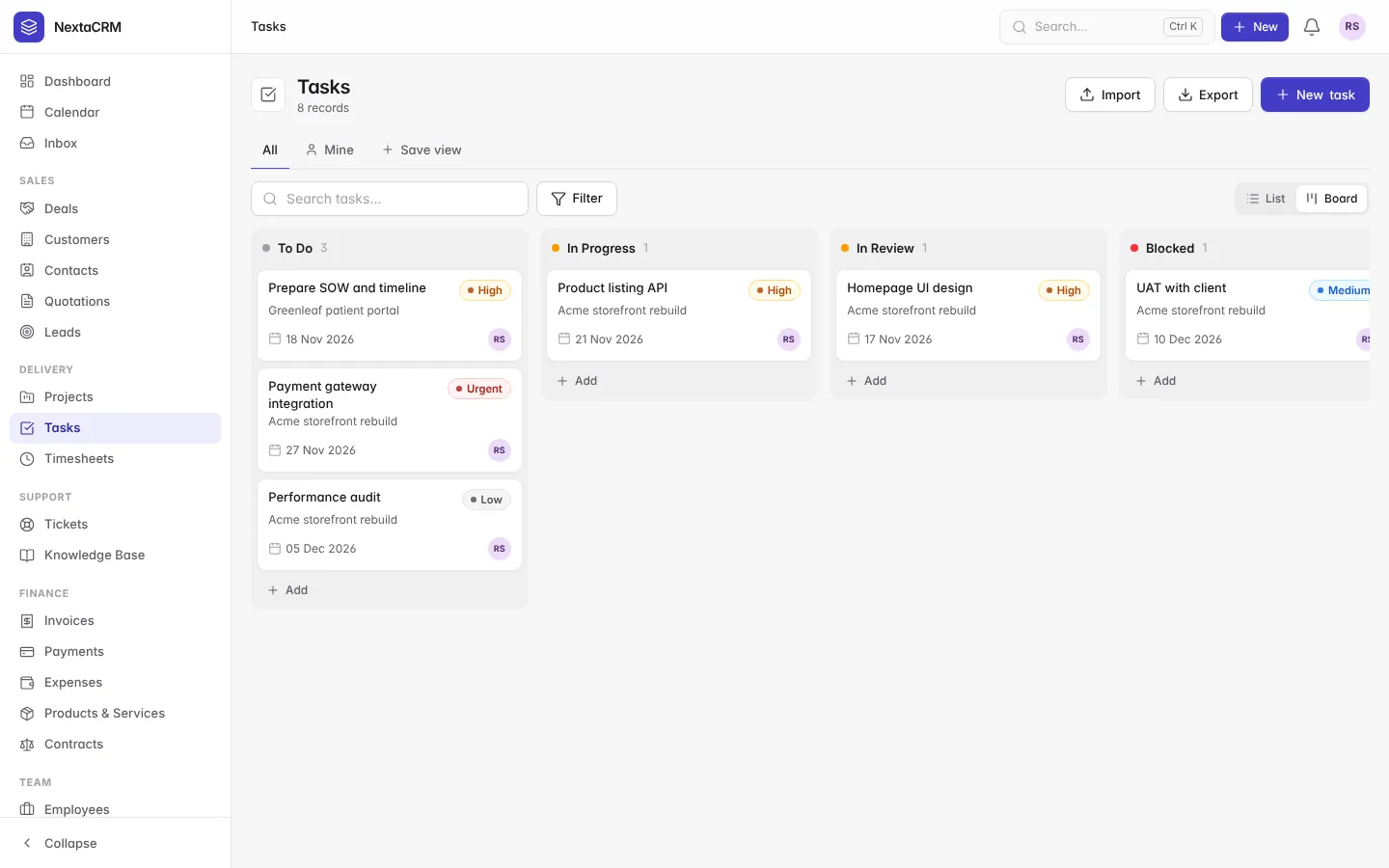
Task board with priorities and due dates
crm.yourcompany.com
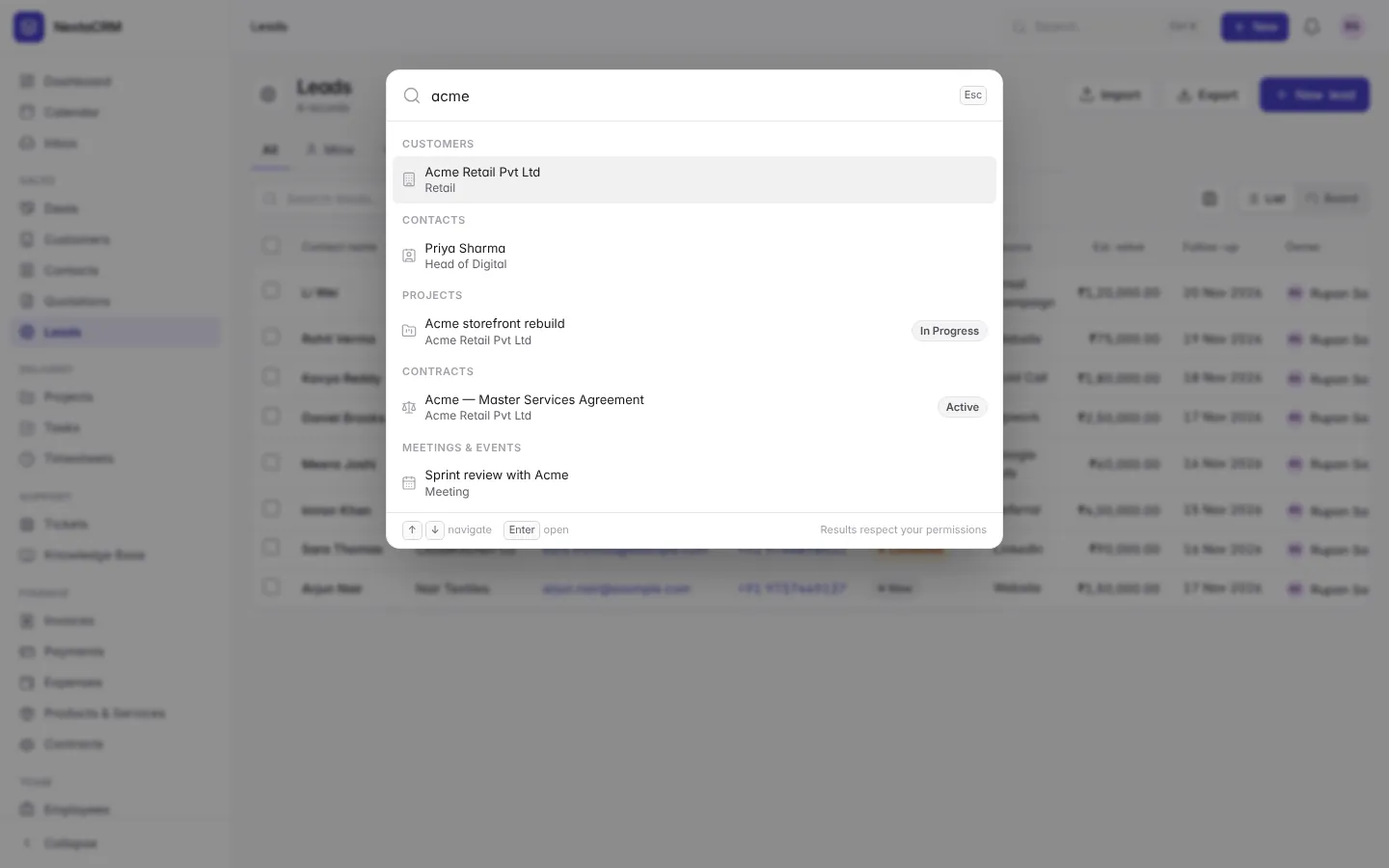
Global search command palette (Ctrl K)
crm.yourcompany.com
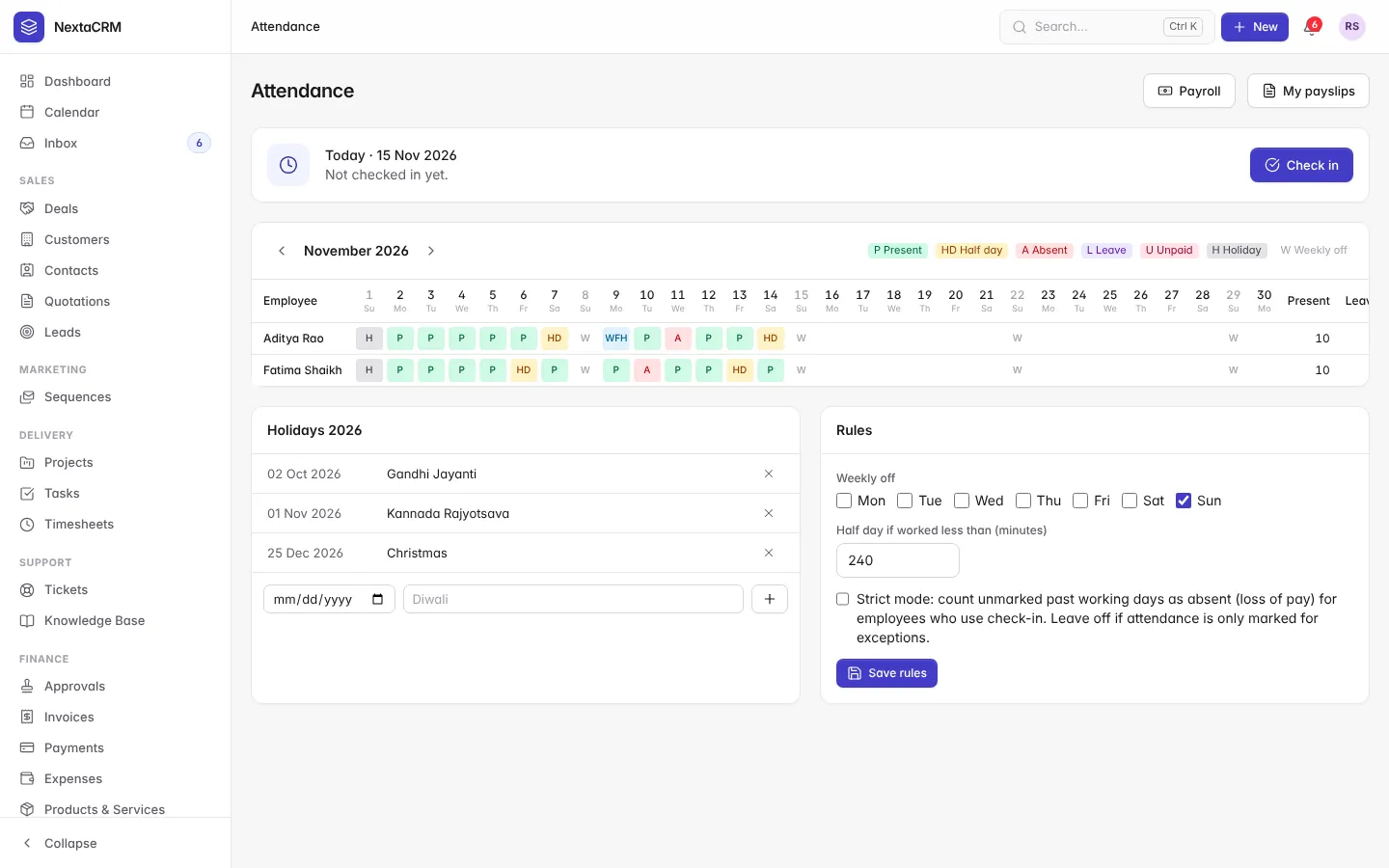
Monthly attendance register with check-ins and holidays
crm.yourcompany.com
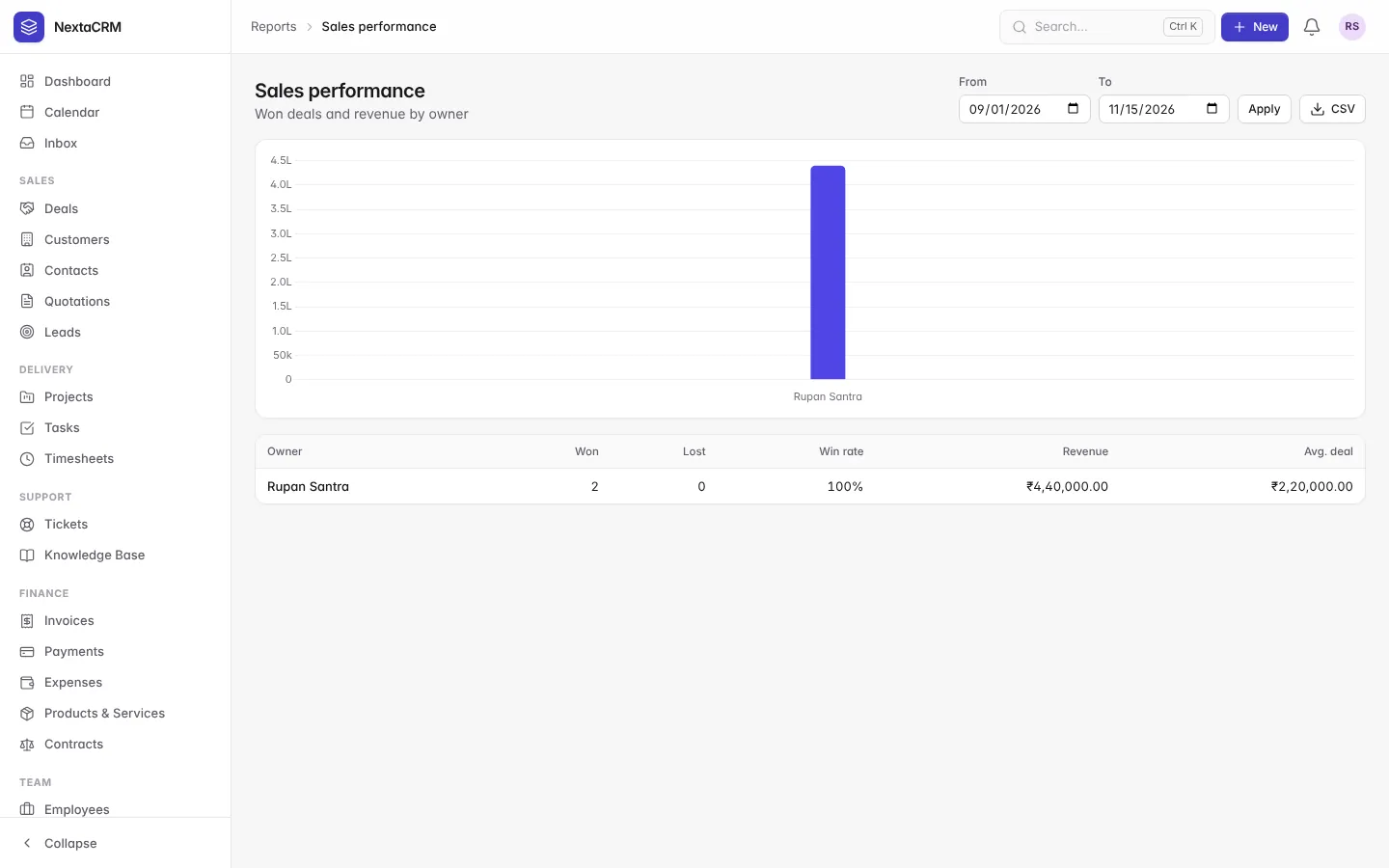
Sales report
crm.yourcompany.com
Razorpay, Stripe and PayPal payment settings
crm.yourcompany.com
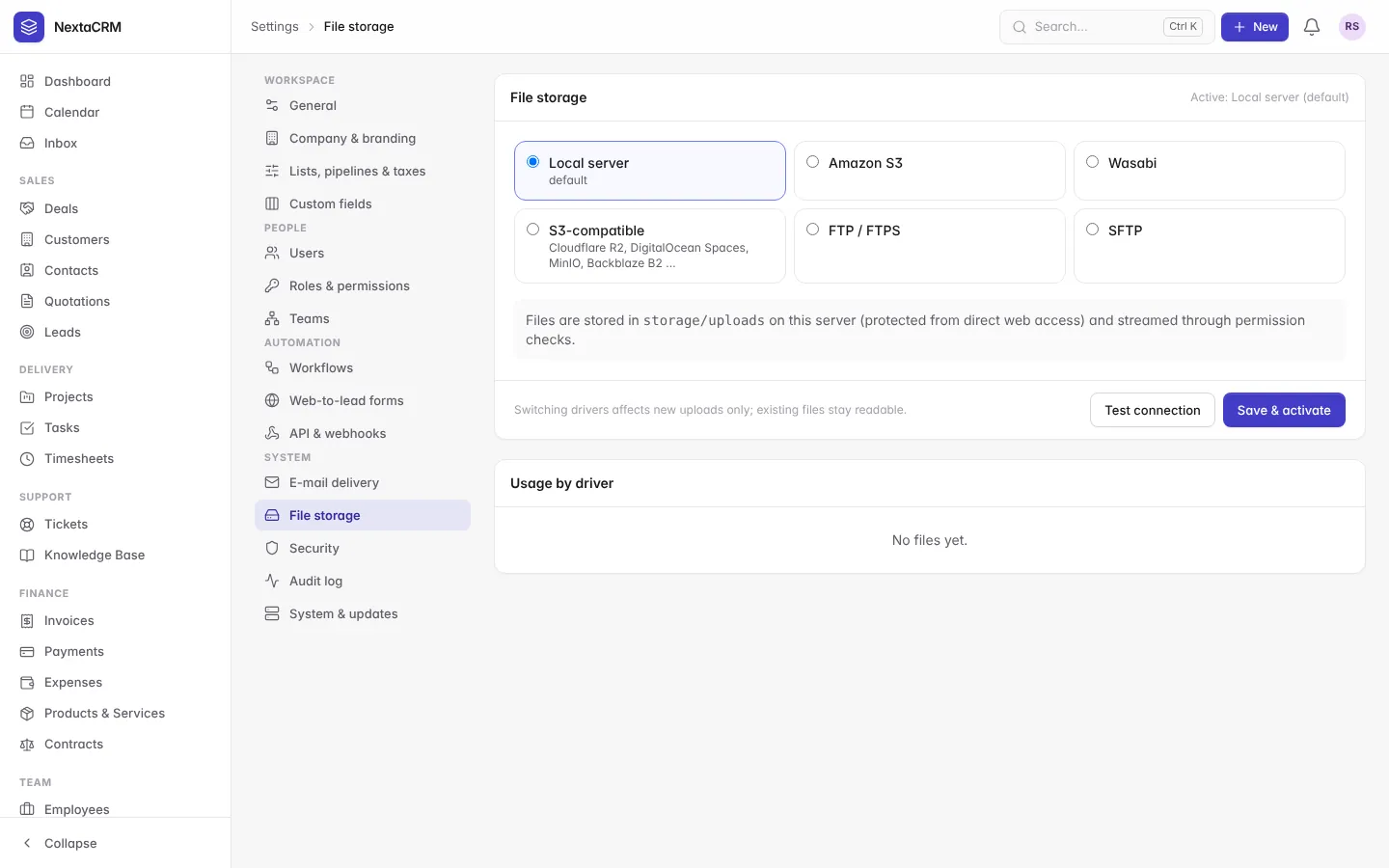
Storage settings with S3, Wasabi, FTP and SFTP
crm.yourcompany.com
Module marketplace with signed modules
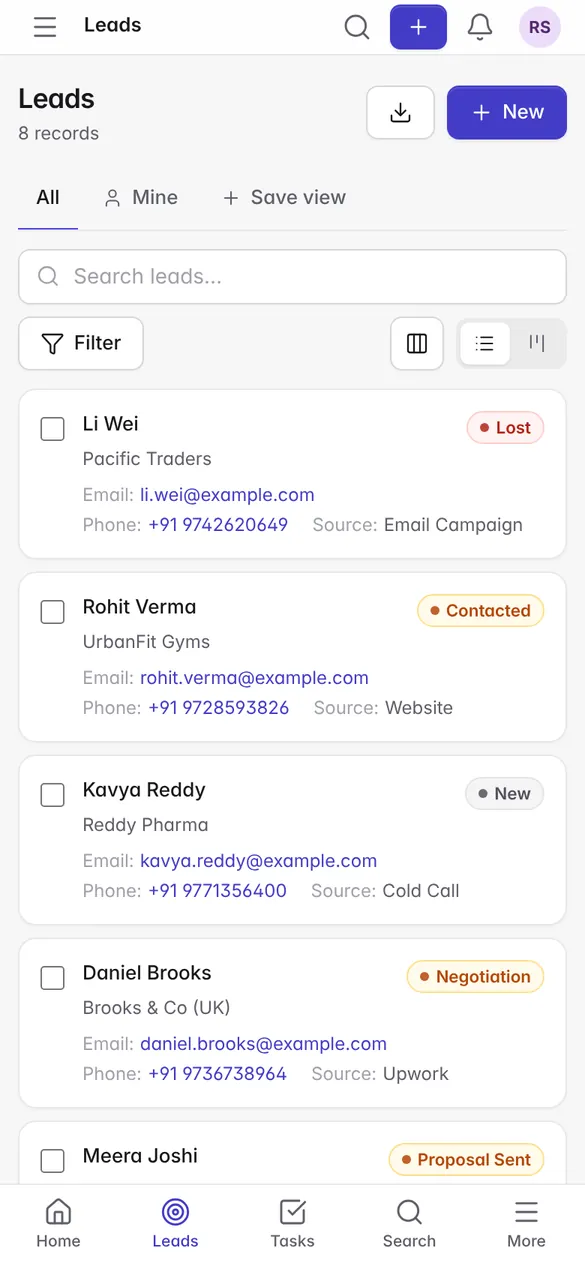
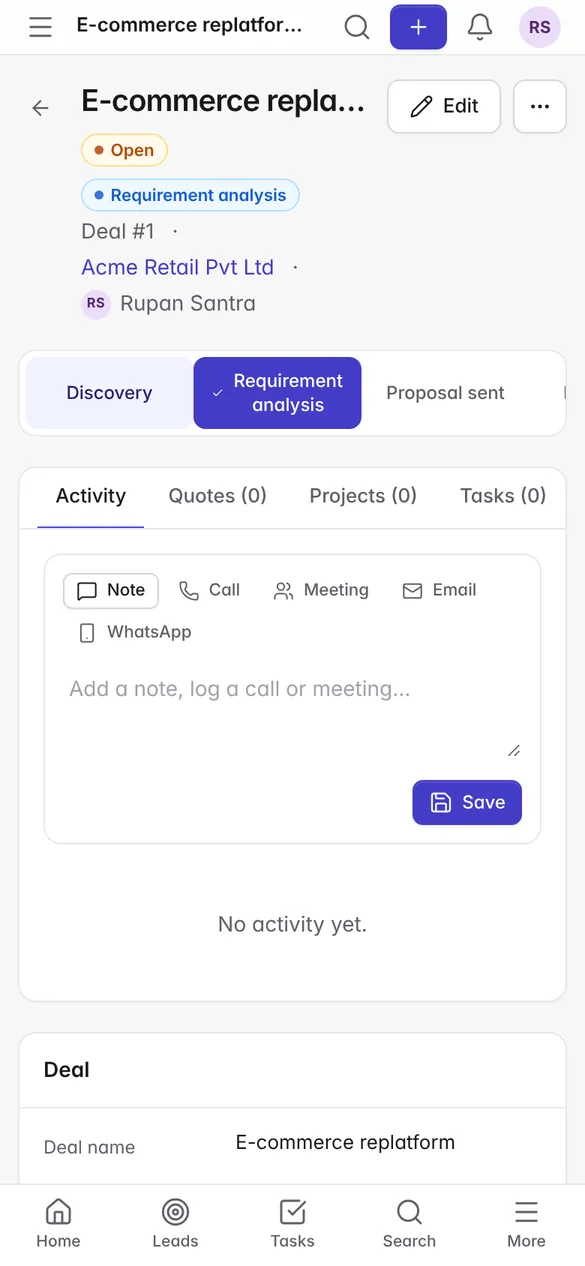
Mobile layout with drawer and bottom navigation
Compared
NextaCRM vs other open source CRMs
What you get in each project's free edition. "Enterprise" and "Paid" mean the feature exists only in a paid edition or add-on.
Feature
NextaCRM
EspoCRM
SuiteCRM
Odoo Community
ERPNext
Twenty
Runs on cPanel shared hosting
Yes
Yes
Yes
No
No
No
Quotations and invoices
Yes
Paid pack
Yes
Yes
Yes
No
Projects and billable time
Yes
Paid add-on
Projects only
Yes
Yes
No
Support tickets with SLA
Yes
No SLA
Partial
Enterprise
Yes
No
Payroll (PF, ESI, PT, TDS)
Yes
No
No
Enterprise
Separate app
No
Client portal
Yes
Paid
Partial
Yes
Yes
No
E-signature on quotes
Yes
Paid add-on
No
Enterprise
No
No
WhatsApp
Yes
Third party
Third party
Enterprise
Third party
No
One-click signed updater
Yes
Yes
Partial
No
No
No
Source: our review of each project's free edition and source code, November 2026. Full matrix with file references: docs/FEATURE_COMPARISON.md. Editions change, so check the current terms of any product you consider.
No per-user fee
Cloud CRMs such as Zoho CRM and HubSpot charge per user, per month. NextaCRM has no licence fee, so adding a teammate costs nothing.
Your data stays yours
Customer records, invoices and payroll live in your own database, on hosting you choose, in India if you prefer.
One app instead of five
CRM, invoicing, projects, helpdesk and payroll share one customer record, one login and one bill: your hosting.
Security
Hardened for shared hosting
Version 1.0 went through a full internal audit before release; the report and test results are public in the repository.
Argon2id passwords, TOTP two-factor login and lockout after failed attempts
Role permissions with own, team and all record scopes, checked on the server
Company isolation on every query
CSRF tokens, strict Content-Security-Policy with no inline scripts, HSTS
Upload checks by extension, real MIME type and content
Webhooks protected against SSRF; secrets encrypted at rest
Full audit log; Ed25519-signed updates with a backup before each one
File storage
Six storage drivers
Each file remembers the driver it was saved on, so switching the default later never breaks older files.
Local
Default. Kept under storage/uploads, never served directly
Something else? Ask us or open an issue on GitHub.
What is NextaCRM?
NextaCRM is a free, self-hosted CRM and business management app for IT and service companies, made by Nexta Web Solution in India. It covers leads, deals, quotations, invoices, projects, timesheets, support tickets, HR and payroll in one PHP application that installs on ordinary cPanel hosting.
Is NextaCRM really free?
Yes. You can download NextaCRM from GitHub and use it without a licence fee or per-user charge. You pay only for your own hosting. If you want help, Nexta offers paid installation, data migration, custom modules and training.
Can NextaCRM run on shared hosting?
Yes. It needs PHP 8.2 or newer and MySQL 8 or MariaDB 10.6, which most cPanel plans have. You do not need Composer, Node.js, Redis, Docker or SSH: the PHP libraries are bundled and the CSS and JavaScript are already compiled. One cron job every 5 minutes runs the scheduled tasks.
Does NextaCRM support GST invoices and Indian payroll?
Yes. Invoices handle GST/VAT taxes, discounts, partial payments and Indian number formatting. Payroll covers loss of pay from attendance, PF with the wage ceiling, ESI, professional tax and TDS, with payslip PDFs.
Which payment gateways does NextaCRM support?
Razorpay, Stripe and PayPal. Customers pay from the public invoice link or the client portal, and the payment is recorded only after a verified callback or signed webhook.
How is NextaCRM different from Zoho CRM or HubSpot?
Zoho CRM and HubSpot are cloud services you rent per user. NextaCRM runs on your own server, so your data stays with you and the software has no per-user fee. It also includes projects, timesheets, invoicing, support and payroll in the same app, which those tools sell as separate products or plans.
Is NextaCRM a good Perfex CRM or vtiger alternative?
If you want an all-in-one PHP CRM for a services business, yes. Perfex CRM is sold as a paid licence; NextaCRM is free with public source code. Compared with vtiger and SuiteCRM, NextaCRM adds Indian payroll, a client portal with online payments, e-signatures and WhatsApp in the free download, and runs on the same kind of PHP hosting.
Can I import my data from Excel or another CRM?
Yes. CSV and Excel import has column mapping and a dry-run preview, so you can check the result before anything is saved. Nexta can also do the migration for you.
Does NextaCRM have an API?
Yes. Every module is available at /api/v1/{module} with list, read, create, update and delete, using the same permissions as the web app. Tokens can be read-only or read/write with an expiry date, the OpenAPI 3 document is served at /api/v1/openapi.json, and outgoing webhooks are signed with HMAC-SHA256.
Does NextaCRM use AI?
Optionally. With your own Anthropic, OpenAI or self-hosted model key, the assistant writes record summaries, next-step suggestions and reply drafts. Sensitive fields are never sent, and e-mail addresses and phone numbers are masked unless an admin allows them.
How do updates work?
Updates are signed with Ed25519 and checked before install, and NextaCRM takes a backup automatically before every update. Database migrations run without touching your existing data.
Is NextaCRM secure?
Security was part of the design: Argon2id passwords, two-factor login, server-side permissions on every page and API call, company isolation, a strict Content-Security-Policy, SSRF-safe webhooks, encrypted secrets and a full audit log. The audit report is in the repository under docs/SECURITY_AUDIT.md.